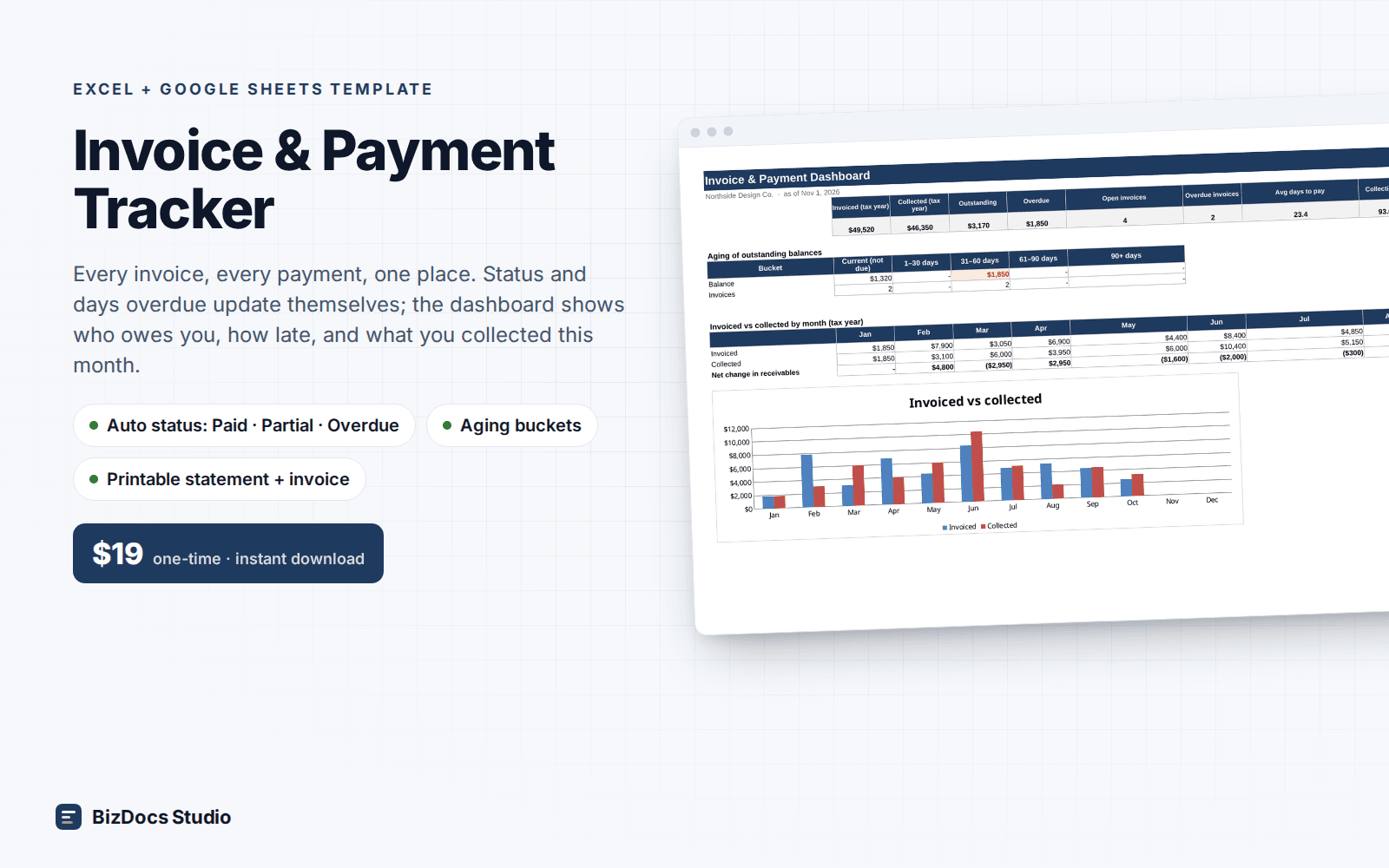
Invoice & Payment Tracker for Excel and Google Sheets
Invoice & Payment Tracker
Every invoice and payment in one place. Know who owes you, and how late.
- Instant download · Excel workbook (.xlsx), opens in Google Sheets
- 14-day refund, no questions asked
- Personal and business use licence
- Free updates to this version
Works with
- Microsoft Excel 2010 or newer
- Google Sheets (File > Import)
- Excel for Mac
- No macros, no add-ins
Made for: Freelancers and consultants, Agencies and studios billing retainers, Trades and service businesses, Anyone chasing payments from a shoebox of invoices.
7 tabs, one linked system
- 1
Settings
Business details, default terms, late fee %, tax rate, tax year, payment instructions, client list with per-client terms, payment methods.
- 2
Invoices
300 rows: number, client (dropdown), date, description, amount, tax. Due date, total, paid, balance, status (Paid / Partial / Open / Overdue) and days overdue calculate.
- 3
Payments
500 rows: date, invoice number (dropdown), amount, method, reference. Client and days-to-pay fill automatically.
- 4
Dashboard
KPIs (invoiced, collected, outstanding, overdue, open count, avg days to pay, collection rate), aging buckets, invoiced vs collected by month with chart.
- 5
Chase list & clients
Overdue invoices ranked by days late with the client contact; outstanding, overdue, invoiced and avg days to pay per client.
- 6
Statement
Pick a client: open invoices, total due, overdue portion, your payment instructions. Prints on one page.
- 7
Invoice
Printable invoice with your header, terms, due date, line items, tax and payment instructions.
Built to be right, not just pretty
- Status and days overdue update themselves from payments
- Partial payments handled; balance shows what is left
- Aging buckets by due date: current, 1–30, 31–60, 61–90, 90+
- Chase list ranked by days overdue with the client's email next to it
- Per-client terms (Net 15 / 30 / 45) drive due dates
- Printable statement and invoice that match your Settings
- 3,700+ formulas, all visible and editable; verified to the cent
Last updated November 2, 2026. Buyers get updates to this version free, by email.
Before you buy
Does it work in Google Sheets?
Yes. File > Import > Upload the .xlsx. Dropdowns, conditional formatting and the chart carry over. All formulas are Sheets-compatible; no macros.
How does status work?
Each invoice sums its payments. Balance zero = Paid. Balance with the due date passed = Overdue. Some payment but not all = Partial. Otherwise Open. Days overdue counts from the due date.
Can I set different terms per client?
Yes. Each client in Settings has its own terms in days; the invoice due date uses it, falling back to your default.
Does it handle tax?
There is a tax column per invoice and a default tax rate for the printable invoice. Set the default to 0 if you do not charge tax.
What if it is not what I need?
Email us within 14 days and we refund you. No forms, no questions.
Invoice & Payment Tracker
$19 one-time · instant download · 14-day refund