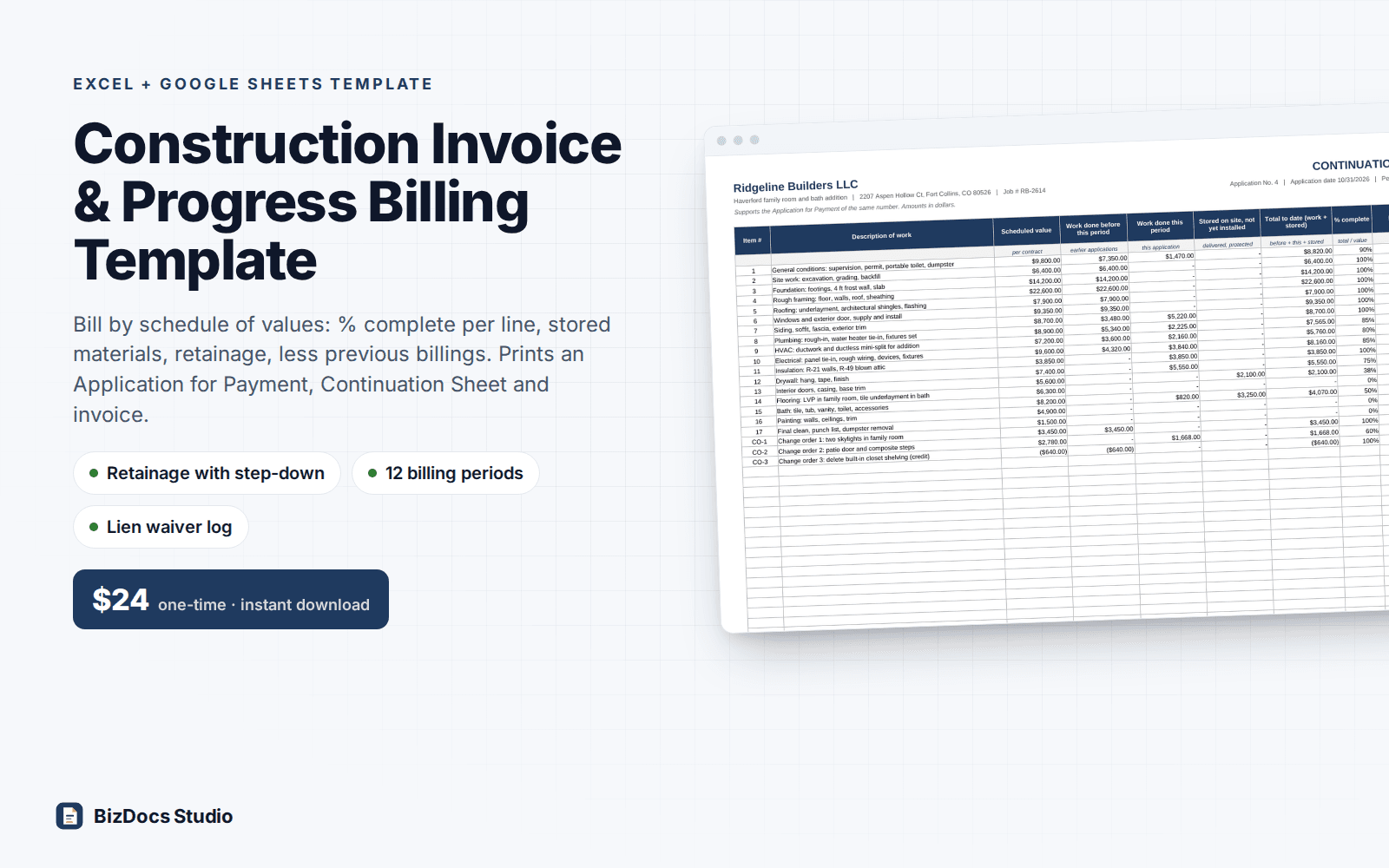
Construction Invoice & Progress Billing Template for Excel and Google Sheets
Construction Invoice & Progress Billing Template
Progress invoices by schedule of values, with retainage, stored materials and the amount due each period.
- Instant download · Excel workbook (.xlsx), opens in Google Sheets
- 14-day refund, no questions asked
- Personal and business use licence
- Free updates to this version
Works with
- Microsoft Excel 2010 or newer
- Google Sheets (File > Import)
- Excel for Mac
- No macros, no add-ins
Made for: Remodelers and general contractors on additions and larger remodels, Subcontractors who send monthly pay applications to a GC, Builders on jobs with a lender draw schedule or retainage, Anyone rebuilding a progress invoice by hand every month.
10 tabs, one linked system
- 1
Start Here
Set-up steps, the monthly billing routine, how retainage reduction and release work, color legend.
- 2
Settings
Your company, owner, project, payment terms and payment instructions. Retainage on work and on stored materials, reduction point, reduced rate, and how the reduction applies.
- 3
Schedule of Values
40 lines with scheduled value, line type (original or change order), the application a change order starts on, and bill-by (% to date or $ this period). One entry column per application, 12 in all. A check column flags problems such as a change order without its start, entries the math would ignore, or a line billed over 100%.
- 4
Stored Materials
Value of materials delivered but not yet installed at each period end, per line, with a note for delivery tickets or photos and a check column for amounts that would not be billed.
- 5
Billing History
One row per application: contract sum, work and stored to date, retainage status (full, reduced, released), retainage on each, earned less retainage, previous applications, payment due, due date, amount paid, unpaid balance, status, lien waiver received and date.
- 6
Application
One-page Application for Payment for the application number you pick: nine lines from original contract price to remaining to bill, change order summary, contractor statement and owner approval lines. Shows a warning if the application is not dated yet.
- 7
Continuation Sheet
One landscape page: every line with scheduled value, work from previous application, this period, materials stored, total to date, % and balance to finish.
- 8
Invoice
One-page invoice for the same application: lines billed this period, retainage held, less previous billings, amount due, plus any unpaid balance from earlier invoices.
- 9
Simple Invoice
Stand-alone one-page invoice for service calls and small jobs: labor, materials and other lines, tax on materials only, all lines or none, deposit credit.
- 10
Calc
Helper sheet that does the period-by-period math. Visible and labeled; you never type in it.
What you can count on
- Bill each line by % complete to date or by dollars this period
- Stored materials billed separately, with their own retainage rate
- Retainage can step down at the % complete your contract sets, on new work only or on all work to date
- Release retainage on a final application with one dropdown
- Change orders as their own lines from the application they were approved, credits included
- Application for Payment, Continuation Sheet and invoice print one page each for any of 12 periods
- Short payments carry to the next invoice as an unpaid balance
- Lien waiver received and date logged per application (no waiver forms included)
- 2,900+ formulas, all visible and editable; sample job checked to the cent against an independent calculation
- Warns on the pay application if rows were inserted in an input table or the application is not dated
Last updated November 1, 2026. Buyers get updates to this version free, by email.
Before you buy
Does it work in Google Sheets?
Yes. Open Google Sheets, File > Import > Upload the .xlsx. Formulas, dropdowns and conditional formatting carry over. Every formula uses functions Sheets supports; there are no macros.
Is this the AIA G702 and G703?
No. It uses the same widely used layout (an application summary plus a line-by-line continuation sheet) with our own wording. If your contract requires the official AIA documents, use those; this workbook can still do the math behind them.
How does the retainage reduction work?
Set the full rate, the % complete that triggers the reduction and the lower rate. Choose whether the lower rate applies to new work only (what is held stays held) or to all work to date (part of what was held is released), and whether it starts on the application that reaches the trigger or the next one.
Does it include lien waiver forms?
No. Waiver forms and wording depend on your state and contract. Billing History logs whether waivers were received for each application and the date, and flags applications without one.
Can I change the lines, rates and terms?
Yes. Every yellow cell is an input and nothing is locked or hidden. The schedule of values holds 40 lines and the billing history 12 applications. Type new lines and change orders on the empty rows instead of inserting rows; if rows are inserted, the Application shows a warning until you undo it.
How do I get the file?
Instantly after payment: a download page opens and the link is also emailed to you. Lost it? Email us and we resend it.
What if it is not what I need?
Email us within 14 days and we refund you. No forms, no questions.
Construction Invoice & Progress Billing Template
$24 one-time · instant download · 14-day refund