Restaurant Food Cost & Menu Pricing Calculator for Excel and Google Sheets
Restaurant Food Cost & Menu Pricing Calculator
Recipe costing from your invoices, menu prices set to a target food cost %, and a weekly actual food cost check.
- Instant download · Excel workbook (.xlsx), opens in Google Sheets
- 14-day refund, no questions asked
- Personal and business use licence
- Free updates to this version
Works with
- Microsoft Excel 2010 or newer
- Google Sheets (File > Import)
- Excel for Mac
- No macros, no add-ins
Made for: Independent restaurants and bistros, Cafes and coffee shops, Food trucks, Caterers and ghost kitchens, Chefs and kitchen managers who own the food cost number.
15 tabs, one linked system
- 1
Dashboard
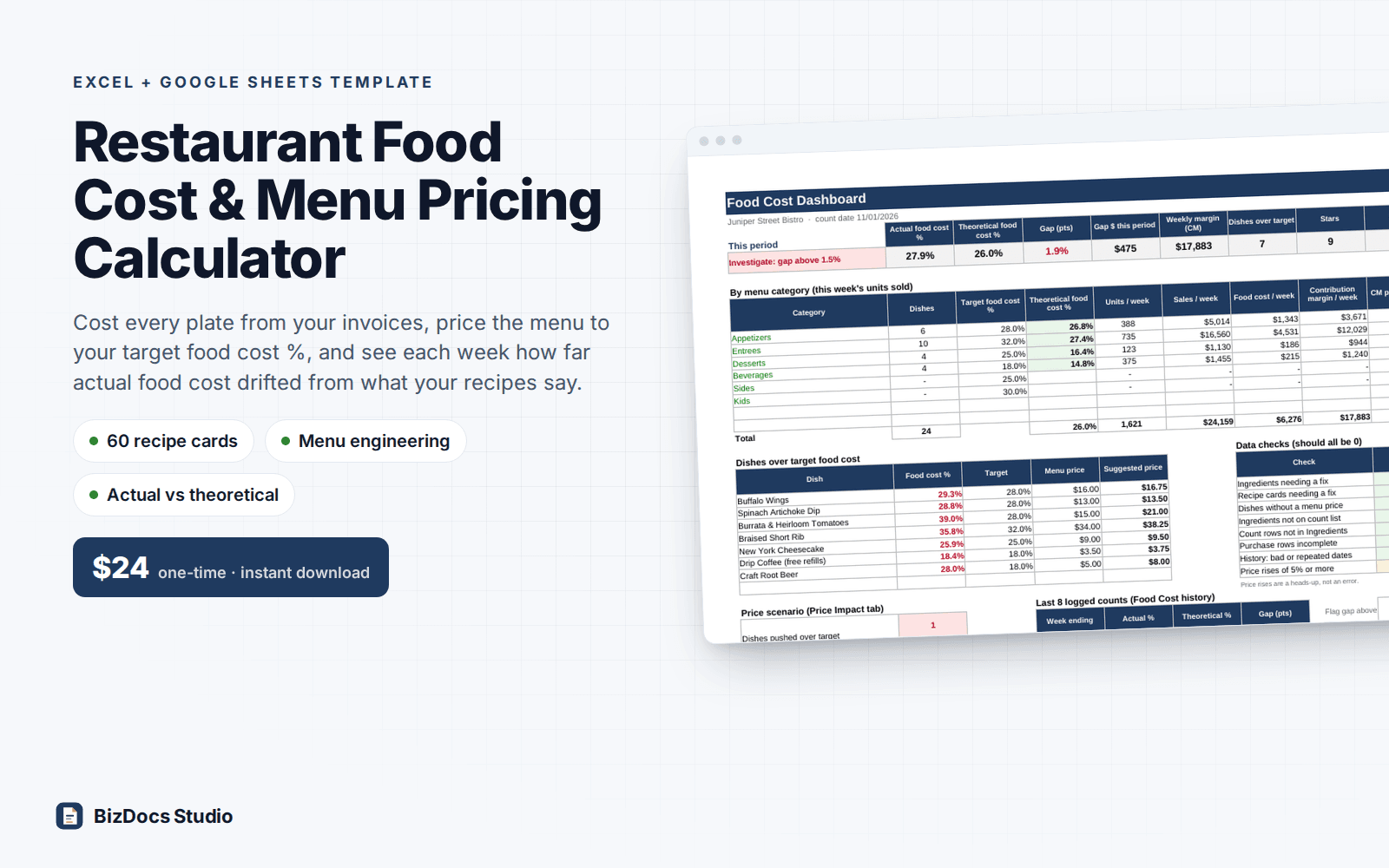
Actual and theoretical food cost %, the gap in points and dollars, weekly contribution margin, results by menu category, dishes over target, data checks, the last 8 logged counts by date with a chart (rows with a text date or a repeated week are left out).
- 2
Settings
Business name, count date (the period runs from the previous logged count), target food cost % and Q factor per menu category, default yield, price rounding, menu engineering options, storage areas, purchase types, units and conversions.
- 3
Ingredients
Up to 150 items: vendor, storage area, pack size and unit, pack price, previous price, recipe unit, yield %. AP and EP cost per recipe unit calculate; price rises of 5% or more turn red.
- 4
Prep Recipes
20 cards for sauces, dressings, doughs and sides. Batch yield and unit give a cost per unit, and each one appears in the ingredient dropdown. Prep recipes can use prep recipes on earlier cards; anything else is flagged, never a circular reference.
- 5
Recipe Cards
60 plated dish cards with 15 lines each: ingredient dropdown, quantity, any compatible unit, line cost, Q factor, plate cost per portion, method and plating notes. Prints two cards per page.
- 6
Print Card
Pick any plated or prep recipe from a dropdown and print it on one page: ingredients, quantities, costs, plate cost, menu price and method.
- 7
Menu Pricing
Plate cost, target food cost %, suggested price rounded up to your price step, your menu price, actual food cost %, points vs target, contribution margin, status.
- 8
Menu Engineering
Enter weekly units sold. Sales mix, popularity threshold (70% rule), group average contribution margin, class (Star, Plowhorse, Puzzle, Dog) and what to do. Weekly sales, food cost and margin totals.
- 9
Price Impact
Change up to 5 ingredient prices by % or new pack price. Every dish shows plate cost now and in the scenario, which ones are pushed over target, new suggested price and the weekly and yearly cost.
- 10
Inventory
Count list in your shelf order: last week and this week counts in packs, values at current pack price, totals by storage area.
- 11
Count Sheet
Printable one-page count sheet for the storage area you pick, with count units, last count (the previous count) and a box to write this count.
- 12
Purchases
Invoices and credits with date, vendor, type and amount. Only the types you mark as food cost, dated since the last count, are counted; rows missing a date, type or amount are flagged.
- 13
Food Cost
Opening inventory + purchases - staff meals - closing inventory, divided by food sales, for the period since the last logged count (the number of days is shown; if it is not 7, the status says so and asks for purchases and sales for the whole period). Opening inventory is that count's recorded closing (or last count at current prices, your choice). Theoretical food cost, POS reconciliation, and a 52-row history log, one row per count: rows can be in any order, the Dashboard reads them by date, and text dates or repeated weeks are flagged.
- 14
Yield Test
Weigh as purchased, after trim and after cooking. Trim, cooking and total yield % to copy into Ingredients.
- 15
Item List (helper)
Builds the gap-free ingredient dropdown from Ingredients and Prep Recipes. Labeled; nothing to type here.
What you can count on
- Plate cost from what you actually pay: pack price, yield % and unit conversions (lb, oz, g, kg, cup, tbsp, gal, liter, each, dozen)
- Sauces, dressings and sides costed once as prep recipes, then picked like any ingredient
- Suggested menu price from your target food cost % per category, rounded up to your price step
- Menu engineering by category with the 70% popularity rule and sales-weighted average margin
- Weekly actual vs theoretical food cost %, with the gap in dollars and a status flag
- Price-change what-if: see which dishes a price rise pushes over target, and what it costs per year
- Printable count sheets by storage area, plus a Dashboard that counts anything needing a fix
- Sample 24-dish American bistro menu with 98 ingredients and a full week of counts, purchases and sales
- 14,300+ formulas, nothing locked; key sample results re-derived independently to the cent
Last updated November 1, 2026. Buyers get updates to this version free, by email.
Before you buy
Does it work in Google Sheets?
Yes. Open Google Sheets, File > Import > Upload the .xlsx. Formulas, dropdowns, conditional formatting and the chart carry over. Every formula uses functions both Excel and Sheets support; there are no macros.
How many ingredients and recipes does it hold?
150 ingredients, 20 prep recipes, 60 plated recipe cards with 15 lines each, 250 purchase rows and a 52-row food cost history (one row per count). Nothing is locked if you need to extend a range.
What if I buy by the case but cook by the ounce or the cup?
Units of the same kind convert on their own (lb to oz, gal to fl oz, dozen to each). When you buy by one kind and cook by another, like celery by the case or bread by the loaf and serve by the slice, enter how many recipe units are in a pack once, and every recipe uses it.
Does it work for a food truck, cafe or caterer?
Yes. Categories, targets, storage areas and units are all editable in Settings. Batch recipes are costed per portion, so a catering tray or a pot of soup works the same way as a plated dish.
Is this accounting or tax software?
No. It is a costing and pricing tool. Food cost targets in the sample are common starting points, not rules. Your accountant handles cost of goods sold for tax purposes.
How do I get the file?
Instantly after payment: a download page opens and the link is also emailed to you. Lost it? Email us and we resend it.
What if it is not what I need?
Email us within 14 days and we refund you. No forms, no questions.
Restaurant Food Cost & Menu Pricing Calculator
$24 one-time · instant download · 14-day refund