Quote, Purchase Order & Price List Templates for Excel and Google Sheets
Quote, Purchase Order & Price List Templates
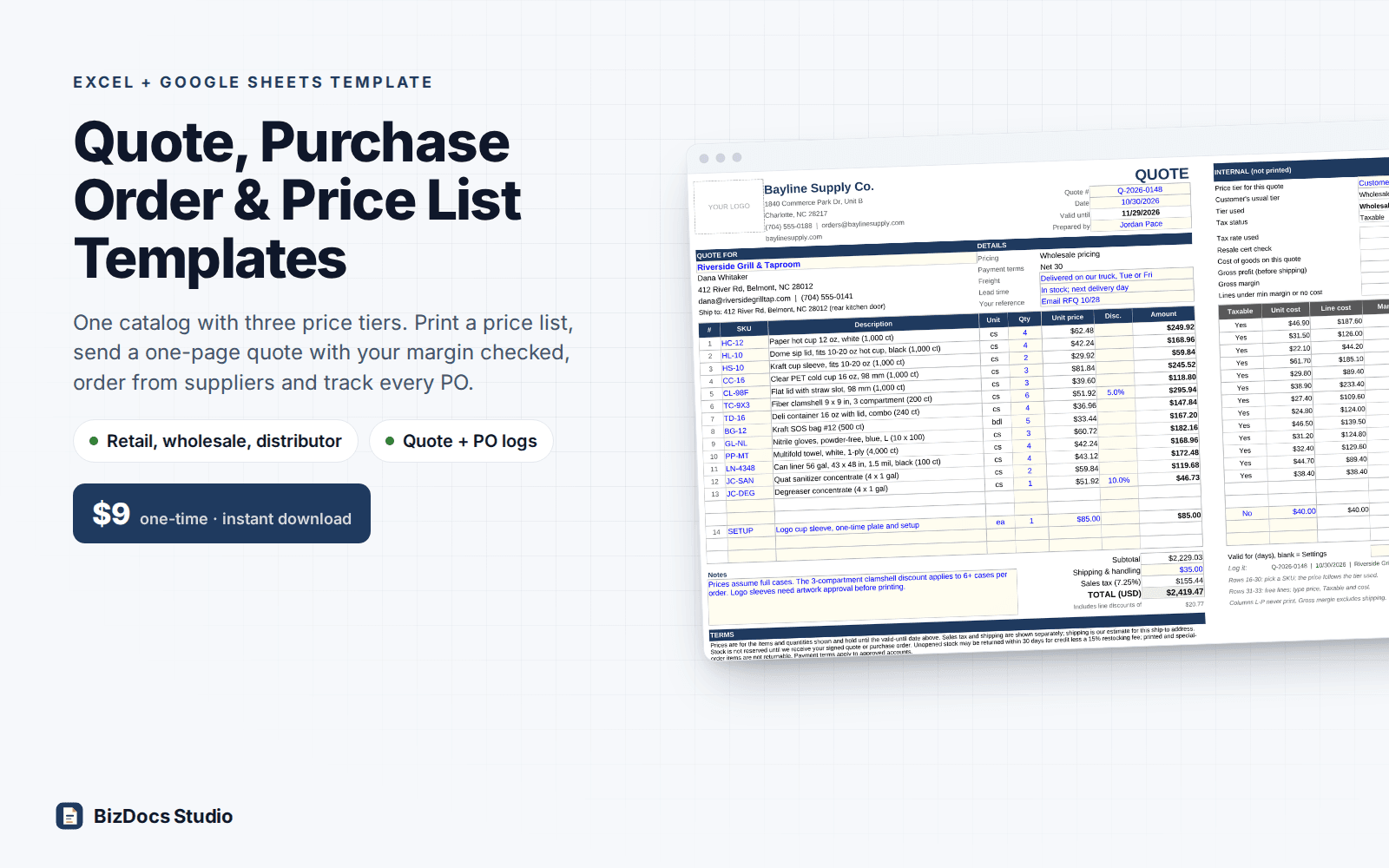
Quote from your own price list, check your margin before you send it, and track every purchase order until the last case arrives.
- Instant download · Excel workbook (.xlsx), opens in Google Sheets
- 14-day refund, no questions asked
- Personal and business use licence
- Free updates to this version
Works with
- Microsoft Excel 2010 or newer
- Google Sheets (File > Import)
- Excel for Mac
- No macros, no add-ins
Made for: Wholesalers and distributors, Small manufacturers and makers selling to stores, B2B suppliers (packaging, janitorial, parts, food service), Service firms that quote parts and labor, Anyone quoting from a Word file and a calculator today.
12 tabs, one linked system
- 1
Start Here
How the tabs fit together, what to do when a quote is accepted (quote to invoice), saving each quote and PO as a PDF, margin vs markup with a worked example, adding your logo, printing, Google Sheets and a tax note.
- 2
Settings
Business details for the documents, default sales tax rate, tax on shipping (yes/no), quote validity days, follow-up days, currency label, minimum margin alert, PO tax rate, as-of date. Three price tiers with their discount off list. Default wording for quote terms, PO instructions and price list terms. Dropdown lists for categories, units and payment terms.
- 3
Catalog
150 rows: SKU, description, category, unit, pack size, supplier, vendor part #, unit cost, list price, optional wholesale and distributor override prices, taxable, active. Price and gross margin for each tier calculate, and a Check column flags duplicate SKUs, unknown categories, prices below cost and margins under your alert.
- 4
Customers
100 rows: contact, billing and ship-to address, price tier, payment terms, tax exempt, own tax rate, resale certificate number and expiry. Quotes sent, value won, win rate, a certificate check (expired, expires within 30 days) and a tier check per customer.
- 5
Suppliers
40 rows: contact, address, your account number, payment terms, lead time, order minimum. POs, ordered, received and open PO value per supplier.
- 6
Price List
Customer-facing price list for the tier you choose, Active items only, grouped by category in your order, with an effective date, optional 'Prepared for' line, MSRP column on wholesale and distributor lists, and terms. 40 lines per printed page with a page selector; a page that starts mid-category repeats the heading as '(continued)', and a heading never sits alone on a page's last line.
- 7
Quote
One-page quote: pick a customer and up to 15 catalog SKUs plus 3 free lines. Tier price, pack size, line discount, shipping, sales tax, total and valid-until date (default validity from Settings, or a per-quote number of days). Internal panel (never printed): tier used, tax status, cost of goods, gross profit, gross margin, lines under your minimum margin.
- 8
Quote Log
300 rows. Status you enter: Draft, Sent, Accepted or Declined; a Sent quote turns Expired by itself after its valid-until date. Follow-up date, days to decide, customer PO # and invoice #. Win rate by count and by value, open pipeline, follow-ups due.
- 9
Purchase Order
One-page PO: pick a supplier and up to 15 SKUs plus 3 free lines. Vendor part #, description, unit and your Catalog cost fill in, with a per-line cost override when a supplier quotes a different price. Ship-to, payment and freight terms, deliver-by date from the supplier's lead time, freight, tax, signature and vendor confirmation lines. Internal panel checks the supplier's order minimum and flags items you usually buy elsewhere.
- 10
PO Log
200 rows: PO total, received, % received, open value and status (Open, Partial, Late, Partial, late, Received, Closed short, Cancelled) with days late. Bill check compares the supplier's bill with goods received plus freight. Open POs, open PO value, late POs and bills to check at the top.
- 11
Receipts
500 rows: one row per delivery line (date, PO #, packing slip, SKU, qty, unit cost, received by, condition). Feeds Received on the PO Log.
- 12
Helper
Formulas that sort the Price List by category. Nothing to type there.
What you can count on
- Three price tiers from one list price, with an override for round prices and the margin of every tier side by side
- Quote picks up the customer's tier, terms and tax status; resale-exempt customers get no sales tax
- Your cost and gross margin show beside each quote line and never print
- Quotes expire on their own after the valid-until date; follow-ups due are highlighted
- Purchase orders with vendor part numbers, deliver-by date from lead time and an order minimum check
- Partial and late deliveries, open PO value and supplier bills that do not match what arrived
- Quote, purchase order and each price list page print on one letter page
- Sample wholesale supplier: 45 items, 10 customers, 6 suppliers, 25 quotes, 14 POs and 20 receipts
- 7,100+ formulas, nothing locked; sample results re-derived independently to the cent
Last updated November 1, 2026. Buyers get updates to this version free, by email.
Before you buy
Does it work in Google Sheets?
Yes. Open Google Sheets, File > Import > Upload the .xlsx. Dropdowns, formulas and conditional formatting carry over. Every formula uses functions both Excel and Sheets support (SUMIFS, INDEX/MATCH, COUNTIFS and the like); there are no macros.
Can I rename the price tiers or change the discounts?
Yes. Tier names and their discount off list are on Settings, and the Catalog tier columns and every tier dropdown follow a rename. Customers, the Price List and the Quote tier choice keep the name you picked earlier, so after renaming, pick the new name there; until you do, they show 'Tier not in Settings' or CHECK TIER in red and print no price instead of a wrong one. For any item you can also type an exact wholesale or distributor price instead of the discount.
Does it make invoices?
No. It handles everything up to the order: price list, quote, purchase order and receiving. When a quote is accepted, Start Here walks through the handoff, and the Quote Log has a column for the invoice number. If you need invoices with payment tracking, our Invoice & Payment Tracker does that part.
How does it handle sales tax?
It applies the rate you set: a default rate, an optional rate per customer, no tax for customers marked tax exempt, and a Yes/No for taxing shipping. Each catalog item can be taxable or not. It does not decide what is taxable in your state; this is a template, not tax advice, so check with your accountant.
Do I need a new file for every quote?
No. The Quote and Purchase Order tabs are reused: save each one as a PDF named by its number and add a row to the log. To keep an editable copy, duplicate the tab.
How do I get the file?
Instantly after payment: a download page opens and the link is also emailed to you. Lost it? Email us and we resend it.
What if it is not what I need?
Email us within 14 days and we refund you. No forms, no questions.
Learn before you fill it in
More templates for small business
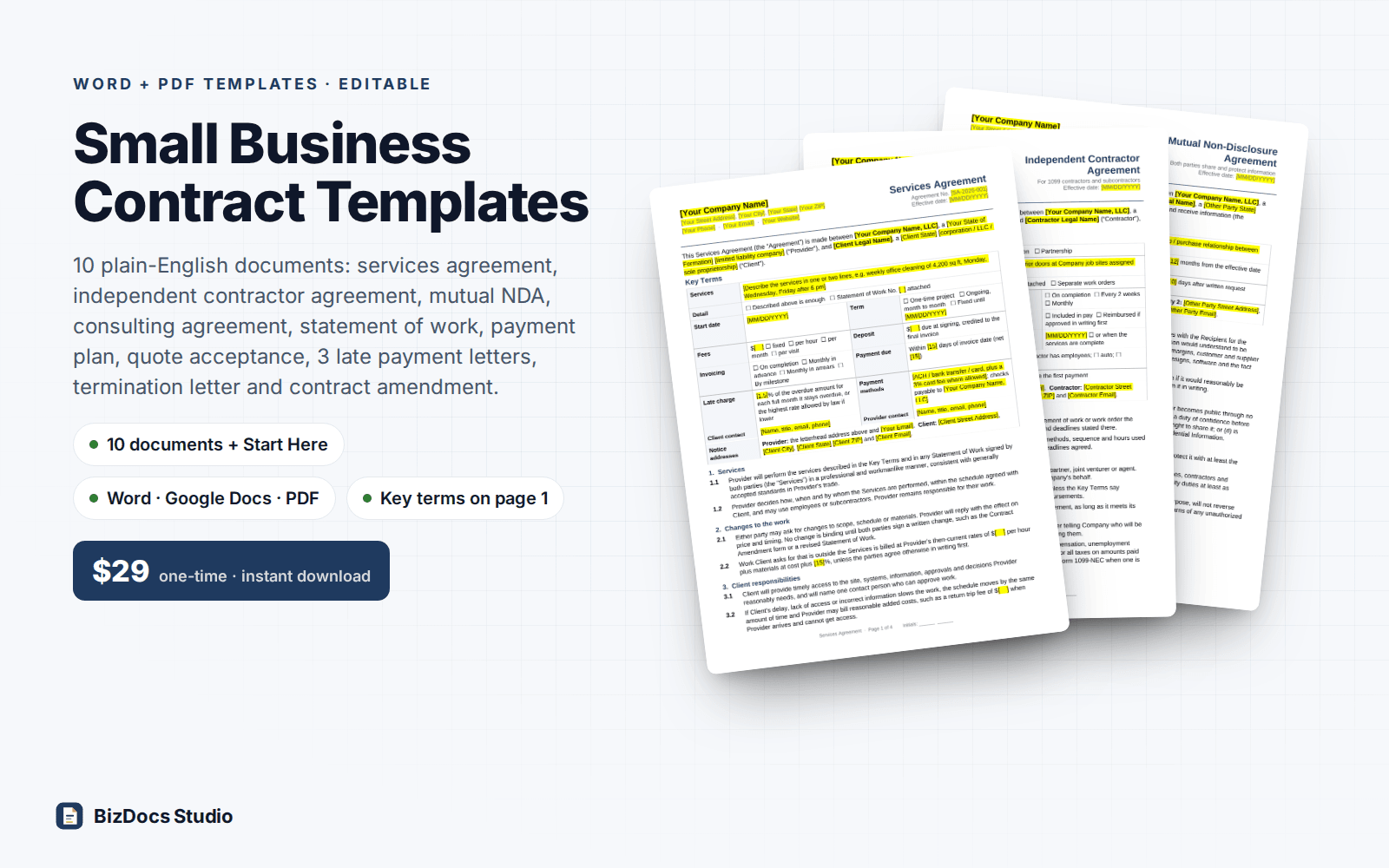
Small Business Contract Templates Pack
Services, contractor, NDA and consulting agreements, plus a payment plan and late payment letters.
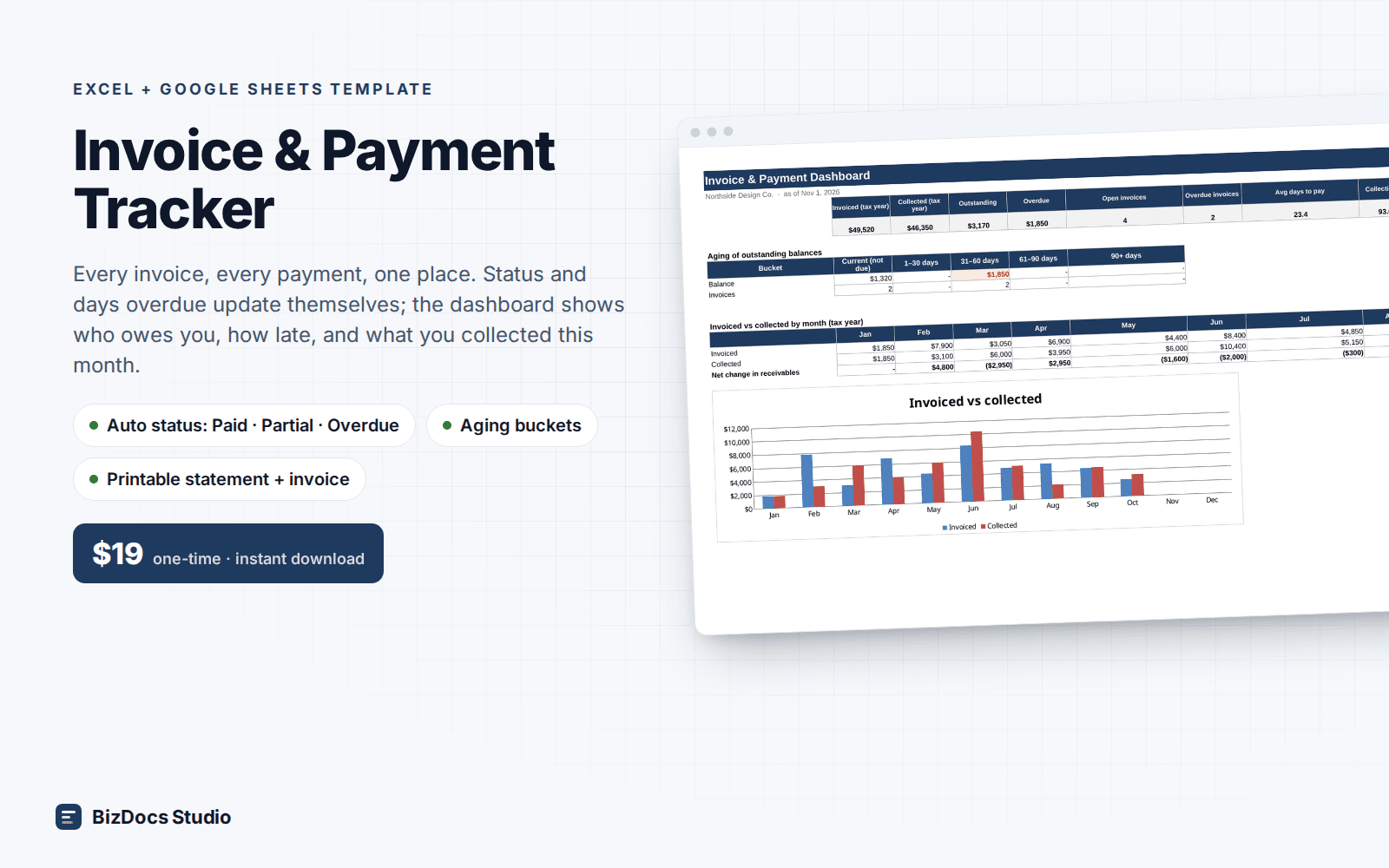
Invoice & Payment Tracker
Every invoice and payment in one list, with who owes you and how many days late they are.
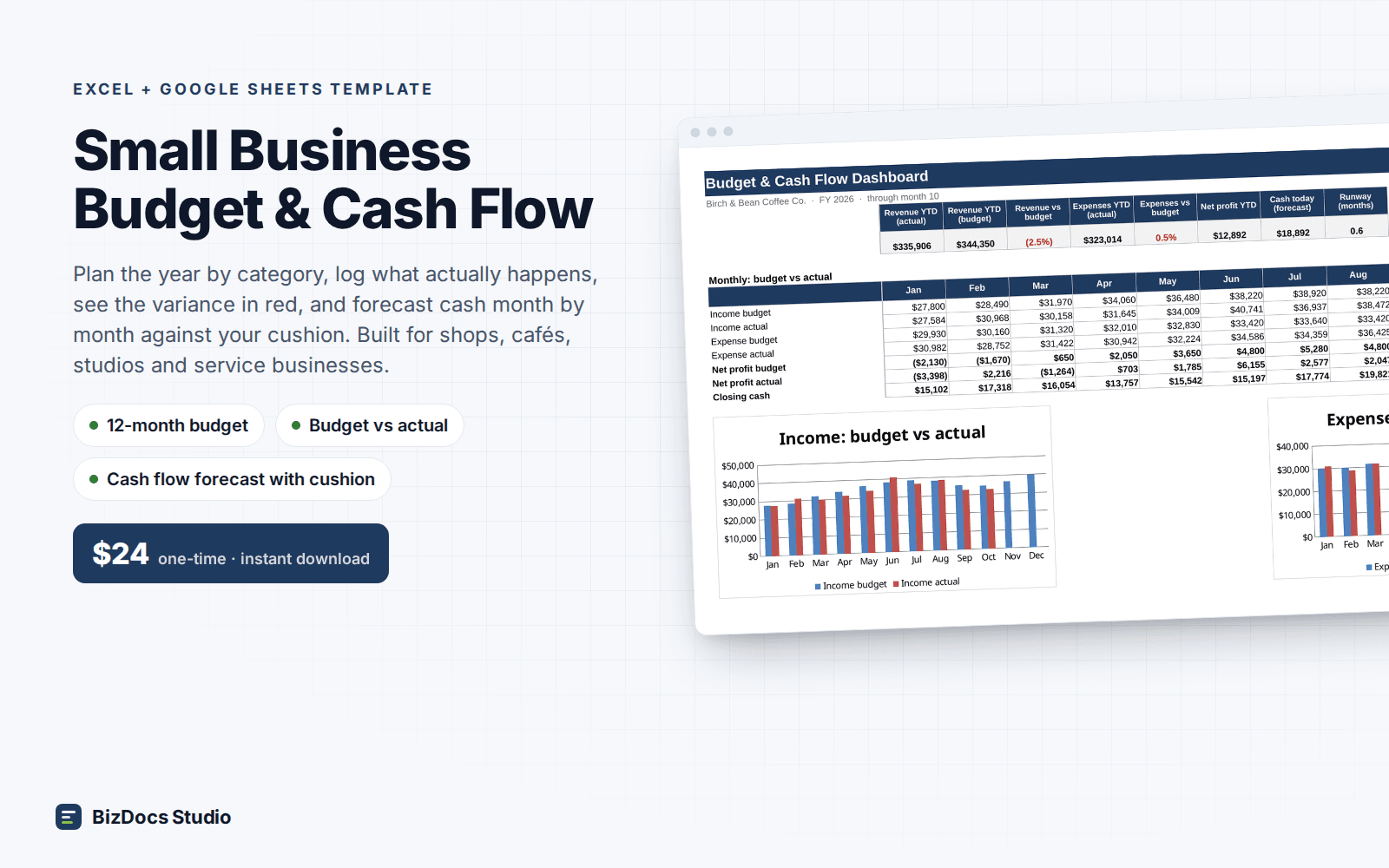
Small Business Budget & Cash Flow
A 12-month budget with actuals beside it and a cash flow that shows which month runs short.
Quote, Purchase Order & Price List Templates
$9 one-time · instant download · 14-day refund