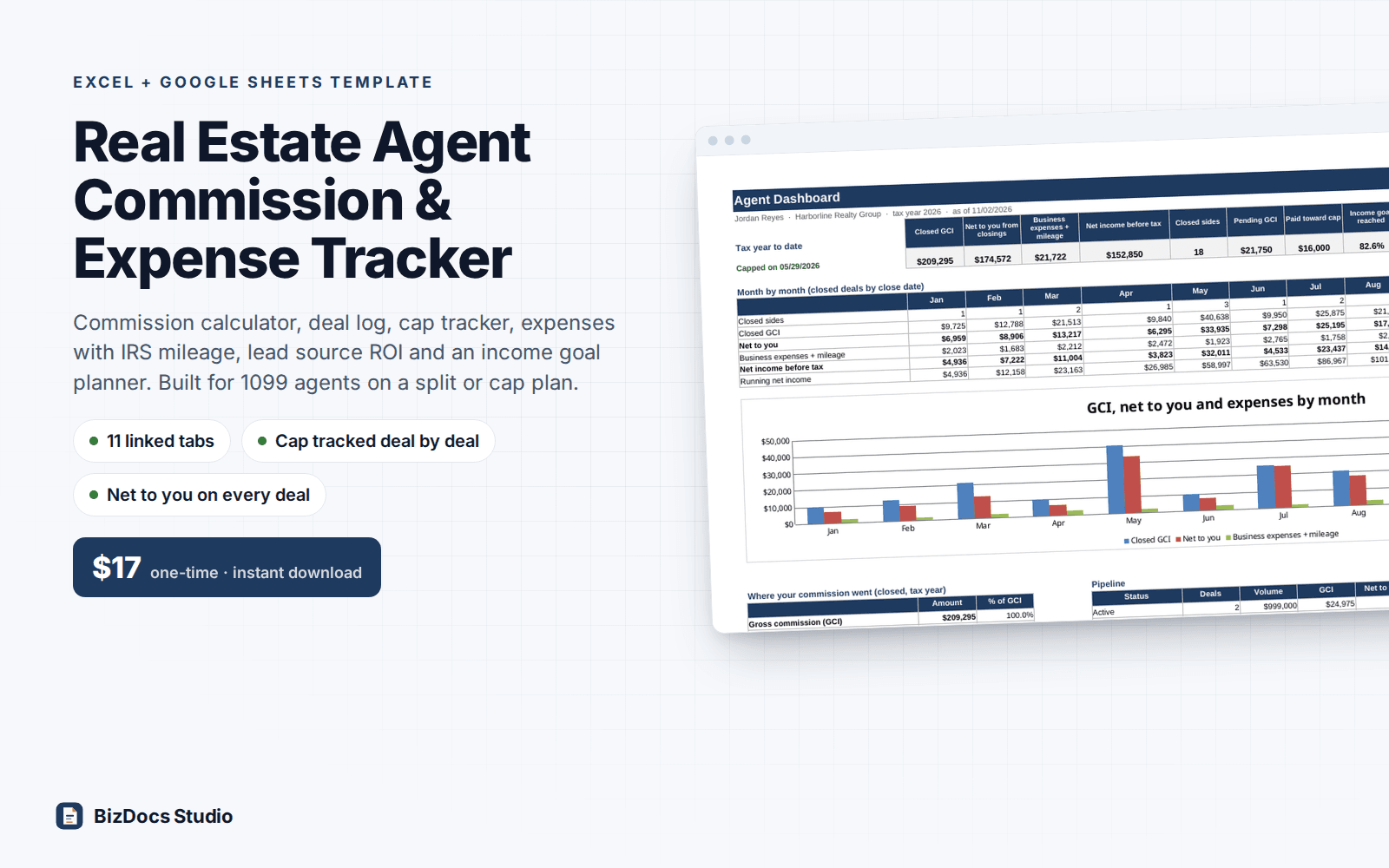
Real Estate Agent Commission & Expense Tracker for Excel and Google Sheets
Real Estate Agent Commission & Expense Tracker
See what every deal really pays you after referral, split, cap and fees, and track your expenses, mileage and income goal in the same file.
- Instant download · Excel workbook (.xlsx), opens in Google Sheets
- 14-day refund, no questions asked
- Personal and business use licence
- Free updates to this version
Works with
- Microsoft Excel 2010 or newer
- Google Sheets (File > Import)
- Excel for Mac
- No macros, no add-ins
Made for: Real estate agents paid as 1099 independent contractors, Agents on a cap plan (80/20, 85/15 and similar) or a straight percent split, Team members who split with a team lead, New agents building a first business plan.
11 tabs, one linked system
- 1
Start Here
What each tab does, the order the commission math runs in, the color legend, Google Sheets steps and the not-tax-advice note.
- 2
Dashboard
Tax-year KPIs (closed GCI, net to you, expenses, net income, closed sides, pending GCI, cap paid, goal %), a month-by-month table with chart, where every commission dollar went, pipeline by status, and cap, goal and tax set-aside.
- 3
Settings
Brokerage plan (percent split, or cap model with your share before and after cap, annual cap and cap anniversary date), transaction fee before and after cap, E&O fee, franchise or royalty % with its annual cap, default referral %, team split, income goal, tax set-aside %, dated IRS mileage rates, 19 expense categories and 12 lead sources (all editable).
- 4
Calculator
Test an offer: price, rate per side or flat fee, Listing, Buyer or Both, concessions, referral, team lead, other costs. Prints a one-page commission breakdown with cap status and the same deal before cap side by side.
- 5
Transactions
200 rows: status (Active, Pending, Closed, Fell through), close date, address, client, side, lead source, price, rate or flat fee, concessions, referral, team lead and other costs. GCI, referral fee, team share, brokerage split, fees and net to you calculate; the deal that hits your cap is flagged.
- 6
Cap Tracker
Current cap year: cap paid on closed deals, remaining, progress bar, the date you capped, what pending deals would add, royalty paid against its cap, and a 12-month table with running total and chart.
- 7
Expenses
500 rows: date, vendor, description, category dropdown, amount, business %, business share, optional lead source tag for marketing spend, payment reference.
- 8
Mileage
600 rows: date, route, purpose, client or property, miles. The rate comes from the dated IRS table on Settings, so trips on each side of a mid-year rate change are both right.
- 9
Expense Summary
Spending by category and month for the tax year, business share, optional annual budget per category with over-budget flag, mileage deduction and totals.
- 10
Goal Planner
Works back from your net income goal and planned expenses to the commission, GCI, closed sides, listings, appointments and leads you need, using your averages and conversion rates and allowing for your cap and royalty cap. Pace check against the year so far.
- 11
Lead Sources
Per source for the tax year: leads (you count), marketing spend, referral fees paid, closed deals and sides, GCI, net to you, pending GCI, lead-to-closing rate, cost per closed deal and net per $1 of spend.
What you can count on
- Commission math in the order brokerages pay it: concessions and referral off the top, then split, then transaction, E&O and royalty fees
- Cap model handled deal by deal in close-date order, with anniversary cap years, the exact amount left on the deal that crosses the cap, and post-cap fees after it
- Royalty or franchise fee with its own annual cap, team share before or after the split, flat-fee and dual (Both) deals
- Commission calculator prints a one-page breakdown and shows what the same deal would pay before cap
- Goal planner turns your income goal into GCI, sides, appointments and leads, and accounts for your cap
- Lead source ROI counts portal referral fees as a cost, not just ad spend
- Mileage uses the IRS rate in effect on each trip date (two rates in 2026)
- Sample agent year with 17 closings and a cap reached in May; 10,000+ formulas, all visible and editable, sample results re-checked to the cent
Last updated November 1, 2026. Buyers get updates to this version free, by email.
Before you buy
Does it work in Google Sheets?
Yes. Open Google Sheets, File > Import > Upload the .xlsx. Formulas, dropdowns, conditional formatting and charts carry over. Every formula uses functions that work in both Excel 2010+ and Google Sheets; there are no macros.
Will it match my brokerage's plan?
It handles a straight percent split, or a cap model with your share before and after cap, an annual cap, a cap year that starts on your anniversary date, a different transaction fee after cap, an E&O fee per closing, a royalty or franchise % with its own annual cap, referral fees and a team share before or after the split. A 100% or flat-fee brokerage works too (choose Percent split and set your share to 100%). Graduated splits that step up at GCI thresholds are not built in.
Can I change the categories and lead sources?
Yes. The 19 expense categories and 12 lead sources live on the Settings tab and feed every dropdown and summary. Rename, add or remove them. Nothing is locked or hidden; small grey helper columns are labelled.
Is this tax advice?
No. It is a planning and record-keeping tool. The tax set-aside uses a flat % you choose and the business share of expenses is an estimate. Your brokerage's commission disbursement authorization and the settlement statement are final for each deal; confirm deductions and estimated taxes with your tax professional.
What about the mileage rate?
You enter the IRS standard mileage rate with the date it starts. Each trip uses the rate in effect on its date, so a mid-year change like 2026's (72.5 cents to 76 cents on July 1) is handled. Check irs.gov each year and add a row.
How do I get the file?
Instantly after payment: a download page opens and the link is also emailed to you. Lost it? Email us and we resend it.
What if it is not what I need?
Email us within 14 days and we refund you. No forms, no questions.
Learn before you fill it in
More templates for small business
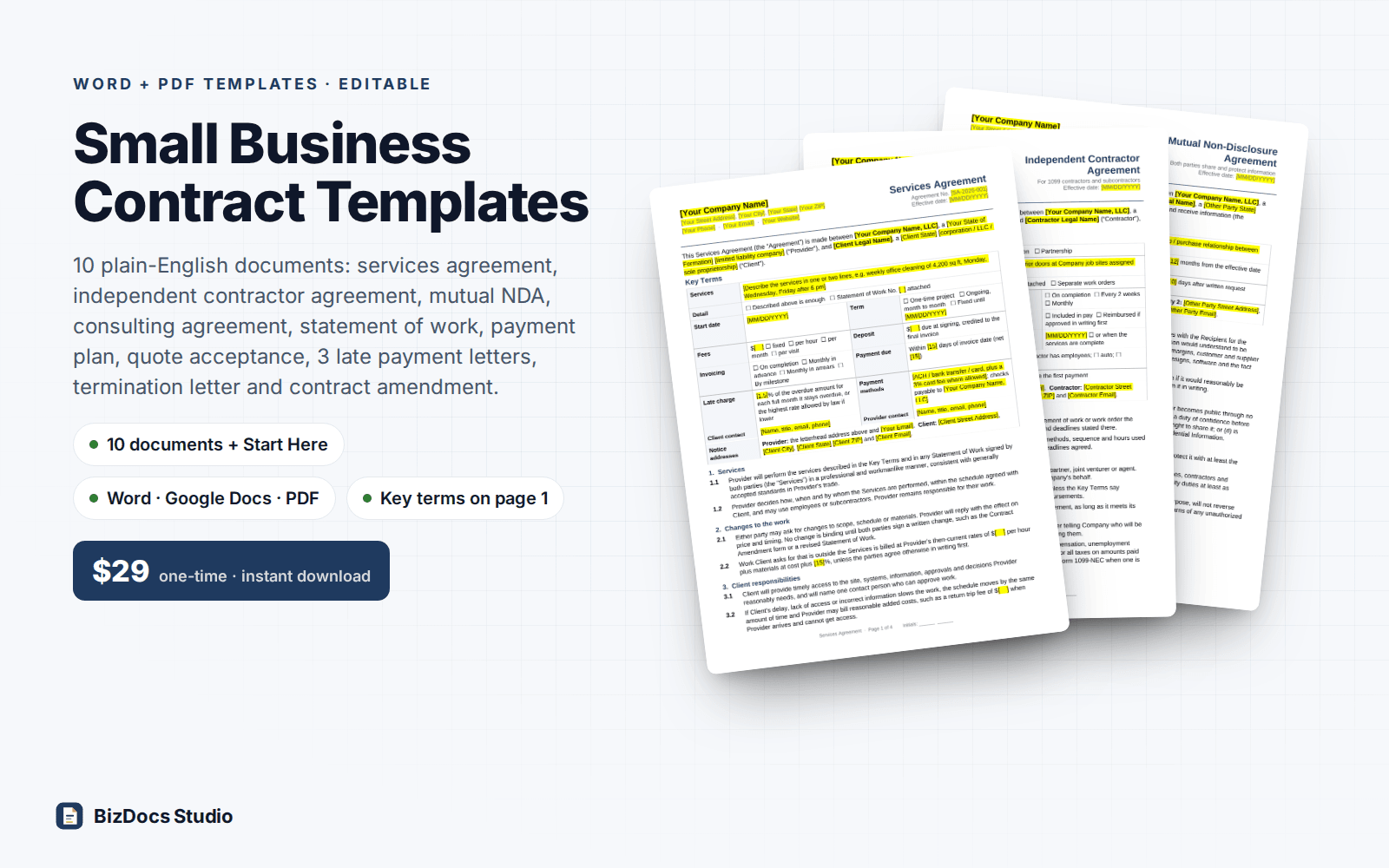
Small Business Contract Templates Pack
Services, contractor, NDA and consulting agreements, plus a payment plan and late payment letters.
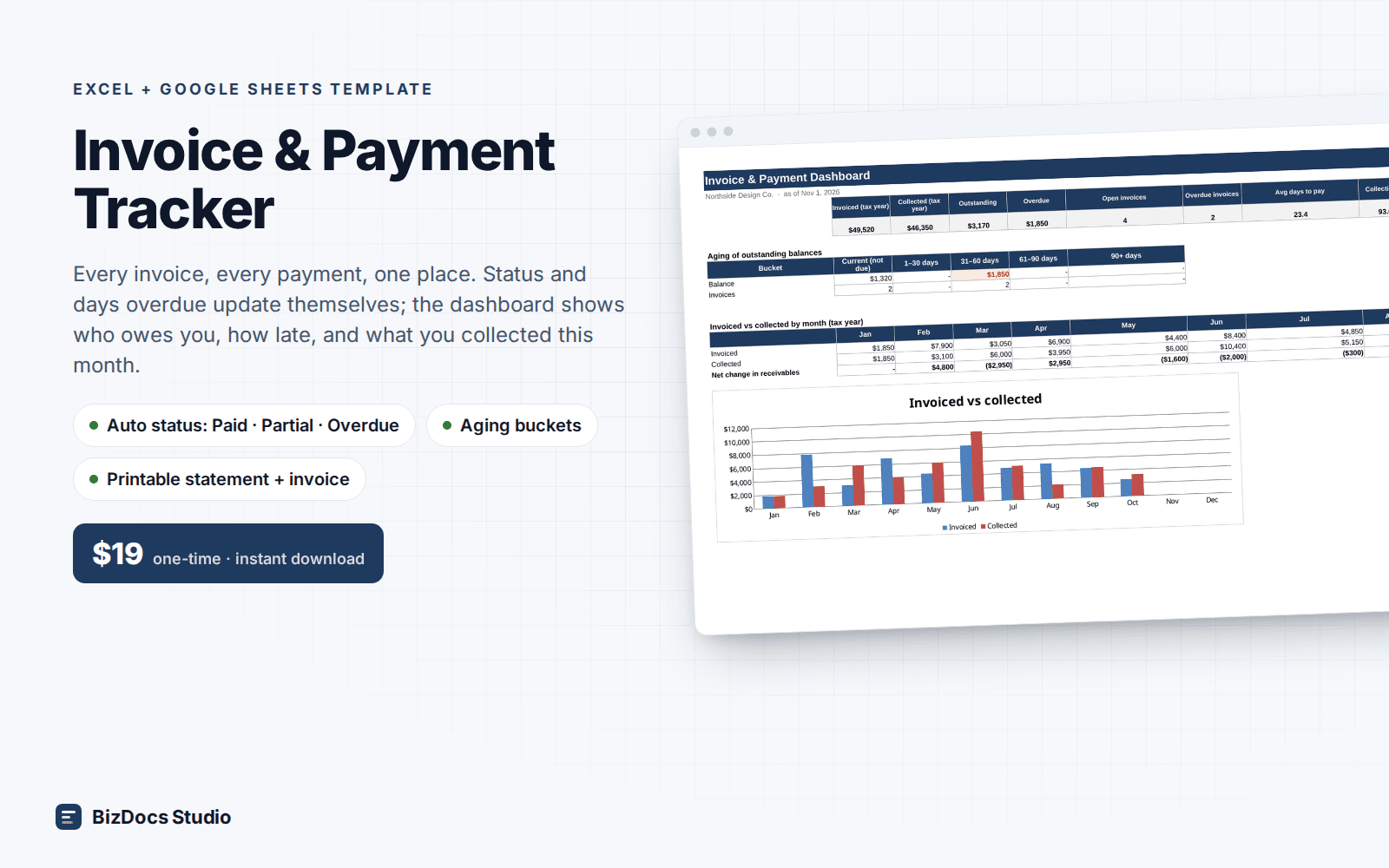
Invoice & Payment Tracker
Every invoice and payment in one list, with who owes you and how many days late they are.
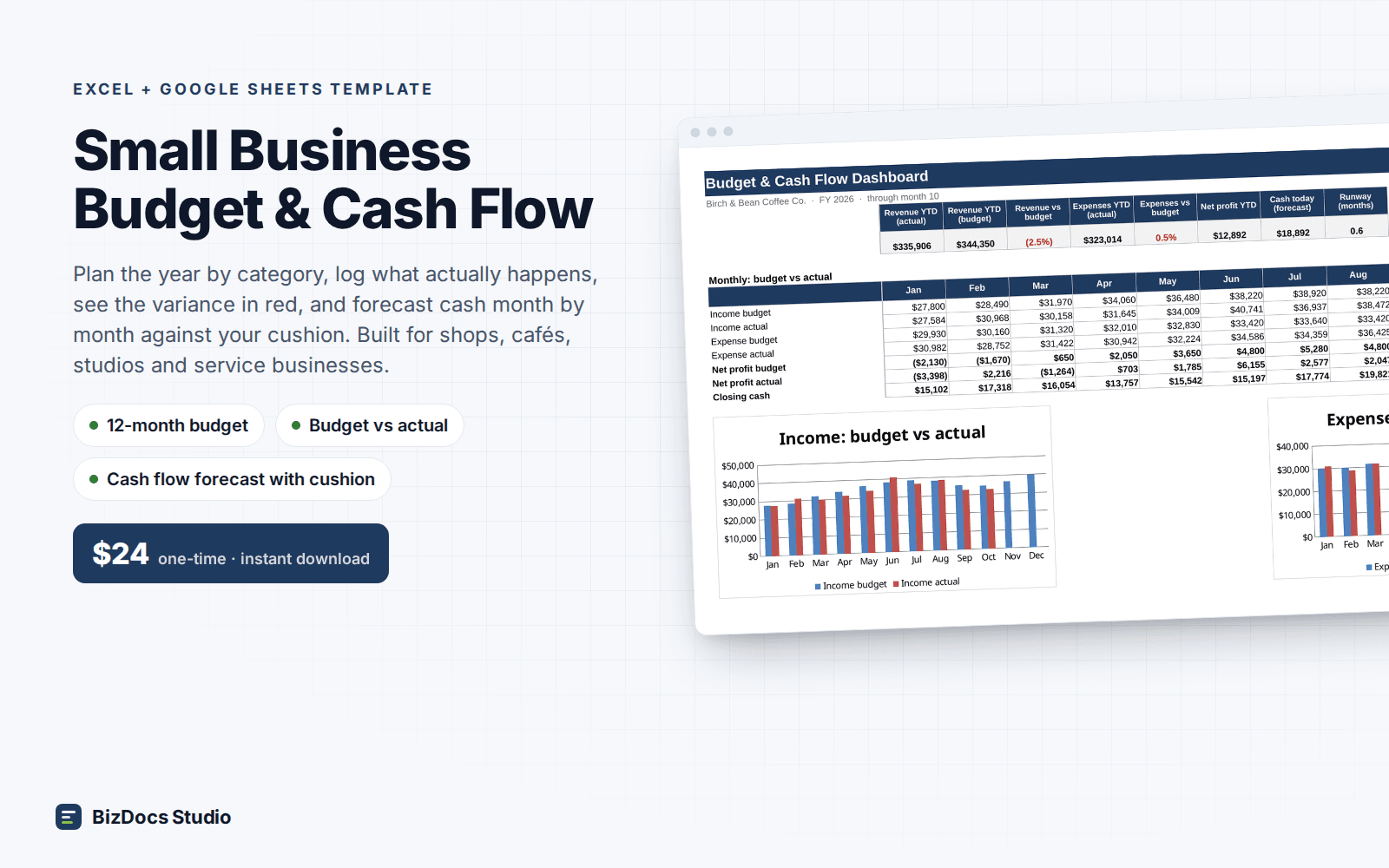
Small Business Budget & Cash Flow
A 12-month budget with actuals beside it and a cash flow that shows which month runs short.
Real Estate Agent Commission & Expense Tracker
$17 one-time · instant download · 14-day refund